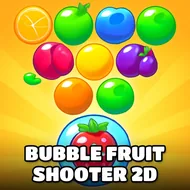
Orb Shooter Chicken
Instructions:
Aim and release to shoot Bubble fruitsDescription
How To Play Orb Shooter Chicken
Controller & Keyboard Guide
- Aim your shooter by moving the mouse or your finger toward the desired direction on the board.
- Release to fire a bubble fruit toward a cluster of three or more identical ones.
- Collect boosters that appear on the board to help clear especially difficult, tightly packed levels.
- Adjust your aim continuously between shots as the board shifts after each successful match.
The chicken-rescue framing gives this one a genuinely charming hook layered on top of the familiar bubble-matching formula, tasking you with saving trapped little chicken babies level by level through careful fruit-bubble matches. That light narrative thread, paired with a steady stream of sweet, colorful level themes to unlock, keeps the overall atmosphere feeling considerably friendlier than a purely competitive, score-focused bubble shooter.
Standout Features
- A chicken-rescue storyline gives this bubble shooter a charming goal beyond simply chasing a high score.
- Collectible boosters provide genuine help for players stuck on a particularly tricky, densely packed level.
- A wide range of sweet, colorful levels keeps the visual theme fresh across a longer play session.
- Simple aim-and-release controls keep the format approachable for players of any age or experience level.
Watching a level's specific chicken characters get rescued one by one adds a small but genuinely satisfying sense of purpose to each cleared board, making the format feel a bit more personal than a purely abstract bubble-popping puzzle. Returning to previously cleared levels occasionally, just to see a familiar chicken character rescued once more, adds a small but genuine layer of replay value beyond simply chasing new, unexplored stages further along in the campaign.